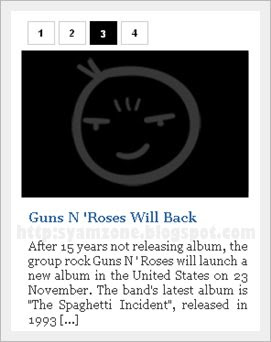
Sekiranya anda ingin memasang 'Slide Show Tab View Menu' seperti screenshot di atas.
Untuk melihat demo slideshow klik di sini.
Sila ikuti beberapa langkah mudah di bawah.
1. Sign in akaun blogger anda.
2. Pilih LAYOUT --> EDIT HTML.
3. BACKUP TEMPLATE anda dahulu untuk mengelakkan sebarang masalah.
4. Klik pada EXPAND WIDGET TEMPLATE seperti screenshot di bawah ini.
5. Cari kod ini.
]]></b:skin>
6. Copy kod di bawah dan letakkan di atas kod tadi.
.indentmenu{
font: bold 11px Arial;
width: 100%; /*leave this value as is in most cases*/
}
.indentmenu ul{
margin: 2px;
padding: 0;
float: left;
/* width: 80%; width of menu*/
background: transparent;
}
.indentmenu ul li{
display: inline;
}
.indentmenu ul li a{
float: left;
margin: 2px;
color: #000; /*text color*/
padding: 5px 11px;
text-decoration: none;
border: 1px solid #ccc;
}
.indentmenu ul li a:hover{
background:#ddd;
}
.indentmenu ul li a:visited{
color: white;
}
.indentmenu ul li a.selected{
color: white !important;
padding-top: 6px; /*shift text down 1px*/
padding-bottom: 4px;
border: 1px solid #000000;
background:#000000;
}
.tabcontentstyle{ /*style of tab content container*/
border: 1px solid gray;
width: 450px;
margin-bottom: 1em;
padding: 10px;
}
.tabcontent{
display:none;
}
@media print {
.tabcontent {
display:block !important;
}
}
7. Cari kod ini.
</head>
8. Copy kod di bawah dan letakkan di atas kod tadi.
<script type='text/javascript'>
//<![CDATA[
//** Tab Content script v2.0- © Dynamic Drive DHTML code library (http://www.dynamicdrive.com)
//** Updated Oct 7th, 07 to version 2.0. Contains numerous improvements:
// -Added Auto Mode: Script auto rotates the tabs based on an interval, until a tab is explicitly selected
// -Ability to expand/contract arbitrary DIVs on the page as the tabbed content is expanded/ contracted
// -Ability to dynamically select a tab either based on its position within its peers, or its ID attribute (give the target tab one 1st)
// -Ability to set where the CSS classname "selected" get assigned- either to the target tab's link ("A"), or its parent container
//** Updated Feb 18th, 08 to version 2.1: Adds a "tabinstance.cycleit(dir)" method to cycle forward or backward between tabs dynamically
//** Updated April 8th, 08 to version 2.2: Adds support for expanding a tab using a URL parameter (ie: http://mysite.com/tabcontent.htm?tabinterfaceid=0)
////NO NEED TO EDIT BELOW////////////////////////
function ddtabcontent(tabinterfaceid){
this.tabinterfaceid=tabinterfaceid //ID of Tab Menu main container
this.tabs=document.getElementById(tabinterfaceid).getElementsByTagName("a") //Get all tab links within container
this.enabletabpersistence=true
this.hottabspositions=[] //Array to store position of tabs that have a "rel" attr defined, relative to all tab links, within container
this.currentTabIndex=0 //Index of currently selected hot tab (tab with sub content) within hottabspositions[] array
this.subcontentids=[] //Array to store ids of the sub contents ("rel" attr values)
this.revcontentids=[] //Array to store ids of arbitrary contents to expand/contact as well ("rev" attr values)
this.selectedClassTarget="link" //keyword to indicate which target element to assign "selected" CSS class ("linkparent" or "link")
}
ddtabcontent.getCookie=function(Name){
var re=new RegExp(Name+"=[^;]+", "i"); //construct RE to search for target name/value pair
if (document.cookie.match(re)) //if cookie found
return document.cookie.match(re)[0].split("=")[1] //return its value
return ""
}
ddtabcontent.setCookie=function(name, value){
document.cookie = name+"="+value+";path=/" //cookie value is domain wide (path=/)
}
ddtabcontent.prototype={
expandit:function(tabid_or_position){ //PUBLIC function to select a tab either by its ID or position(int) within its peers
this.cancelautorun() //stop auto cycling of tabs (if running)
var tabref=""
try{
if (typeof tabid_or_position=="string" && document.getElementById(tabid_or_position).getAttribute("rel")) //if specified tab contains "rel" attr
tabref=document.getElementById(tabid_or_position)
else if (parseInt(tabid_or_position)!=NaN && this.tabs[tabid_or_position].getAttribute("rel")) //if specified tab contains "rel" attr
tabref=this.tabs[tabid_or_position]
}
catch(err){alert("Invalid Tab ID or position entered!")}
if (tabref!="") //if a valid tab is found based on function parameter
this.expandtab(tabref) //expand this tab
},
cycleit:function(dir, autorun){ //PUBLIC function to move foward or backwards through each hot tab (tabinstance.cycleit('foward/back') )
if (dir=="next"){
var currentTabIndex=(this.currentTabIndex<this.hottabspositions.length-1)? this.currentTabIndex+1 : 0
}
else if (dir=="prev"){
var currentTabIndex=(this.currentTabIndex>0)? this.currentTabIndex-1 : this.hottabspositions.length-1
}
if (typeof autorun=="undefined") //if cycleit() is being called by user, versus autorun() function
this.cancelautorun() //stop auto cycling of tabs (if running)
this.expandtab(this.tabs[this.hottabspositions[currentTabIndex]])
},
setpersist:function(bool){ //PUBLIC function to toggle persistence feature
this.enabletabpersistence=bool
},
setselectedClassTarget:function(objstr){ //PUBLIC function to set which target element to assign "selected" CSS class ("linkparent" or "link")
this.selectedClassTarget=objstr || "link"
},
getselectedClassTarget:function(tabref){ //Returns target element to assign "selected" CSS class to
return (this.selectedClassTarget==("linkparent".toLowerCase()))? tabref.parentNode : tabref
},
urlparamselect:function(tabinterfaceid){
var result=window.location.search.match(new RegExp(tabinterfaceid+"=(\\d+)", "i")) //check for "?tabinterfaceid=2" in URL
return (result==null)? null : parseInt(RegExp.$1) //returns null or index, where index (int) is the selected tab's index
},
expandtab:function(tabref){
var subcontentid=tabref.getAttribute("rel") //Get id of subcontent to expand
//Get "rev" attr as a string of IDs in the format ",john,george,trey,etc," to easily search through
var associatedrevids=(tabref.getAttribute("rev"))? ","+tabref.getAttribute("rev").replace(/\s+/, "")+"," : ""
this.expandsubcontent(subcontentid)
this.expandrevcontent(associatedrevids)
for (var i=0; i<this.tabs.length; i++){ //Loop through all tabs, and assign only the selected tab the CSS class "selected"
this.getselectedClassTarget(this.tabs[i]).className=(this.tabs[i].getAttribute("rel")==subcontentid)? "selected" : ""
}
if (this.enabletabpersistence) //if persistence enabled, save selected tab position(int) relative to its peers
ddtabcontent.setCookie(this.tabinterfaceid, tabref.tabposition)
this.setcurrenttabindex(tabref.tabposition) //remember position of selected tab within hottabspositions[] array
},
expandsubcontent:function(subcontentid){
for (var i=0; i<this.subcontentids.length; i++){
var subcontent=document.getElementById(this.subcontentids[i]) //cache current subcontent obj (in for loop)
subcontent.style.display=(subcontent.id==subcontentid)? "block" : "none" //"show" or hide sub content based on matching id attr value
}
},
expandrevcontent:function(associatedrevids){
var allrevids=this.revcontentids
for (var i=0; i<allrevids.length; i++){ //Loop through rev attributes for all tabs in this tab interface
//if any values stored within associatedrevids matches one within allrevids, expand that DIV, otherwise, contract it
document.getElementById(allrevids[i]).style.display=(associatedrevids.indexOf(","+allrevids[i]+",")!=-1)? "block" : "none"
}
},
setcurrenttabindex:function(tabposition){ //store current position of tab (within hottabspositions[] array)
for (var i=0; i<this.hottabspositions.length; i++){
if (tabposition==this.hottabspositions[i]){
this.currentTabIndex=i
break
}
}
},
autorun:function(){ //function to auto cycle through and select tabs based on a set interval
this.cycleit('next', true)
},
cancelautorun:function(){
if (typeof this.autoruntimer!="undefined")
clearInterval(this.autoruntimer)
},
init:function(automodeperiod){
var persistedtab=ddtabcontent.getCookie(this.tabinterfaceid) //get position of persisted tab (applicable if persistence is enabled)
var selectedtab=-1 //Currently selected tab index (-1 meaning none)
var selectedtabfromurl=this.urlparamselect(this.tabinterfaceid) //returns null or index from: tabcontent.htm?tabinterfaceid=index
this.automodeperiod=automodeperiod || 0
for (var i=0; i<this.tabs.length; i++){
this.tabs[i].tabposition=i //remember position of tab relative to its peers
if (this.tabs[i].getAttribute("rel")){
var tabinstance=this
this.hottabspositions[this.hottabspositions.length]=i //store position of "hot" tab ("rel" attr defined) relative to its peers
this.subcontentids[this.subcontentids.length]=this.tabs[i].getAttribute("rel") //store id of sub content ("rel" attr value)
this.tabs[i].onclick=function(){
tabinstance.expandtab(this)
tabinstance.cancelautorun() //stop auto cycling of tabs (if running)
return false
}
if (this.tabs[i].getAttribute("rev")){ //if "rev" attr defined, store each value within "rev" as an array element
this.revcontentids=this.revcontentids.concat(this.tabs[i].getAttribute("rev").split(/\s*,\s*/))
}
if (selectedtabfromurl==i || this.enabletabpersistence && selectedtab==-1 && parseInt(persistedtab)==i || !this.enabletabpersistence && selectedtab==-1 && this.getselectedClassTarget(this.tabs[i]).className=="selected"){
selectedtab=i //Selected tab index, if found
}
}
} //END for loop
if (selectedtab!=-1) //if a valid default selected tab index is found
this.expandtab(this.tabs[selectedtab]) //expand selected tab (either from URL parameter, persistent feature, or class="selected" class)
else //if no valid default selected index found
this.expandtab(this.tabs[this.hottabspositions[0]]) //Just select first tab that contains a "rel" attr
if (parseInt(this.automodeperiod)>500 && this.hottabspositions.length>1){
this.autoruntimer=setInterval(function(){tabinstance.autorun()}, this.automodeperiod)
}
} //END int() function
} //END Prototype assignment
//]]>
</script>
9. Sekarang SAVE TEMPLATE anda.
10. Kemudian pilih 'Layout'--> 'Add a Gadget'--> 'Html / Javascript'.
11. Copy kod di bawah dan Paste.
<div style="float:left;margin:0px 10px 0px 0px;padding:0px;height:350px;">
<div id="pettabs" class="indentmenu">
<ul>
<li><a href="#" class="selected" rel="tab1">1</a></li>
<li><a href="#" rel="tab2">2</a></li>
<li><a href="#" rel="tab3">3</a></li>
<li><a href="#" rel="tab4">4</a></li>
</ul>
<br style="clear: left"/>
</div>
<div style="width:240px;text-align:justify;padding: 5px; margin-bottom:1em">
<div id="tab1" class="tabcontent">
<a href="http://magazine-1.blogspot.com/2008/11/obama-will-change-bush-policy.html">
<img border="0" style="border-right: 0px; border-top: 0px; border-left: 0px; border-bottom: 0px" alt="obamabush" width="240" src="https://blogger.googleusercontent.com/img/b/R29vZ2xl/AVvXsEikykyYyJQBGcgQmeEqWm6qL9C2ZuDza4rLnOst0Dh1xTKvbQNUw9Y90KM_wzUHmUqn-yzJ5pHsWGJhu7U8Gyz0IchyphenhyphenXxF8JNBQ8hE6Pw9IE5j-scNii2BldHZOUzpoh5a3DVIXw1e2jdc/?imgmax=800" height="152" title="obamabush"/></a>
<p><h3><a href="http://magazine-1.blogspot.com/2008/11/obama-will-change-bush-policy.html">Obama Will Change Busf Policy</a></h3></p>
U.S. President Barack Obama will change several numbers of controversial policies by President George W. Bush, including the restriction of the parent embryo cell research [...]
</div>
<div id="tab2" class="tabcontent">
<a href="http://magazine-1.blogspot.com/2008/11/beyonce-will-never-sell-her-wedding.html">
<img border="0" style="border-right: 0px; border-top: 0px; border-left: 0px; border-bottom: 0px" alt="beyonce" width="240" src="https://blogger.googleusercontent.com/img/b/R29vZ2xl/AVvXsEj7IAnsXsaLOh1tQY22aDu02wGdxyh5NsE0RliA5qJblZfACTPt2g5HzVFjFJmqQ-yWEBLPFUqbRk7V-89H3aaoiXdDJc338zaP7bCetFyhMlW1qteNMRB8Uq7F4g22sxeCWZEFNvPKgWg/?imgmax=800" height="152" title="beyonce"/></a>
<p><h3><a href="http://magazine-1.blogspot.com/2008/11/beyonce-will-never-sell-her-wedding.html">Beyonce Will Never Sell Her Wedding Photo</a></h3></p>
Beyonce said, she will never consider to sells her wedding photo with Jay-Z to a celebrity magazine that offering a large amount of money as rewards, even she wonder with the amount of money that offered to her [...]
</div>
<div id="tab3" class="tabcontent">
<a href="http://magazine-1.blogspot.com/2008/11/guns-n-roses-will-back.html">
<img border="0" style="border-right: 0px; border-top: 0px; border-left: 0px; border-bottom: 0px" alt="Guns N 'Roses" width="240" src="https://blogger.googleusercontent.com/img/b/R29vZ2xl/AVvXsEh9gUrhrc6bTOMmAXiCZMxjiSM2H7VweWVtduhNx0w9_swb5xhOlA2XCWsQ0VQZn6gf_1145LYgzGPOGeuMgLSceMYcYa6_-gDMnPVNESWYRe0BQjZkXW8ro3EflTlWWQ7V_2exe7QE_zw/?imgmax=800" height="152" title="Guns N 'Roses"/></a>
<p><h3><a href="http://magazine-1.blogspot.com/2008/11/guns-n-roses-will-back.html">Guns N 'Roses Will Back</a></h3></p>
After 15 years not releasing album, the group rock Guns N ' Roses will launch a new album in the United States on 23 November. The band's latest album is "The Spaghetti Incident", released in 1993 [...]
</div>
<div id="tab4" class="tabcontent">
<a href="http://magazine-1.blogspot.com/2008/11/i-pod-can-make-your-ear-buzz.html">
<img border="0" style="border-right: 0px; border-top: 0px; border-left: 0px; border-bottom: 0px" alt="ipod" width="240" src="https://blogger.googleusercontent.com/img/b/R29vZ2xl/AVvXsEizCL1qwVCDsy9YHt9LT3zXQb_TCoOufH8YYA4yTqQfJXO2kLqnPqWWXt3eB_06huOzCT5LcbHB3DW6tA7PCYLutc5lplfvKpNruH68ff62HBA4qx0OhPkSol0vhH_fYxr2eIQkHNzNF4o/?imgmax=800" height="152" title="ipod"/></a>
<p><h3><a href="http://magazine-1.blogspot.com/2008/11/i-pod-can-make-your-ear-buzz.html">Ipod Can Make Your ear Buzz</a></h3></p>
Music is one way to wake the spirit, to create happy life, but what happens if the music makes the ears buzz? of course, not the music that makes the ear 'buzzy',[...]
</div>
</div>
<script type="text/javascript">
var mypets=new ddtabcontent("pettabs")
mypets.setpersist(true)
mypets.setselectedClassTarget("link")
mypets.init(2000)
</script>
Perhatian !!! Gantikan text dan URL berwarna merah.
12. SAVE.
13. Selamat Mencuba.
Sumber Blogspot Tutorial.


